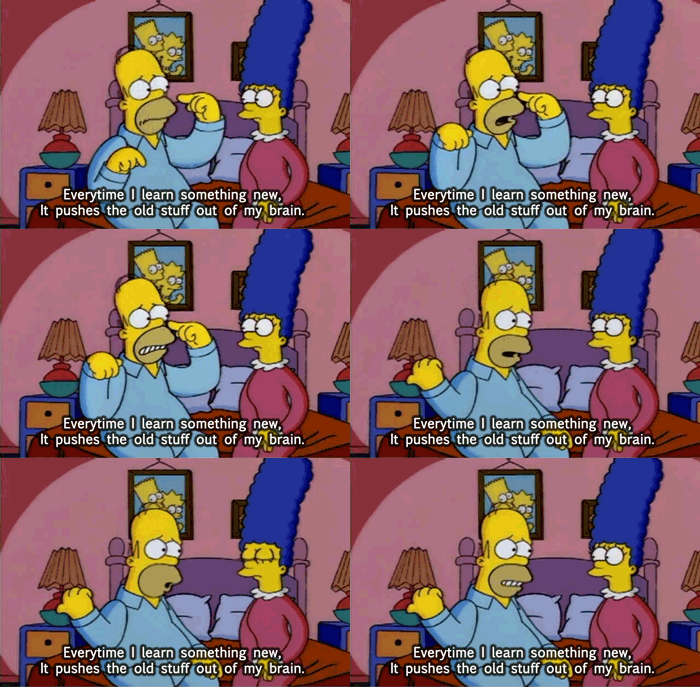
Like many other Londoners, on my daily commute I plug in my earphones and listen to a variety of podcasts in an attempt to block out the what-I-like-to-call "post-apocalyptic nightmare" that is travelling on the London Underground during rush hour (when your transport infrastructure is more than 100 years old, it's always rush hour). One of my favourite podcasts is TEDTalks, which is a series of short videos of "Ideas worth spreading" and I like it because they cover such a vast range of topics, some are serious, some more entertaining, they do vary in quality, but I always learn something new from watching a TED video (the acronym stands for Technology, Entertainment and Design).
One I watched recently was about what makes a new word officially a word, and one of the examples was "adorkable" (A guy that is a nerd, but in a very cute/adorable way), and this word actually made it into the Collins English Dictionary very recently. For me, the embodiment of adorkable is Steve Huffman, co-founder of reddit, who is the instructor for a great Web Development course I took this year with Udacity.com.
This course requires basic knowledge of Python and is a good follow-on to Udacity's Intro to Computer Science 101 course that I did a few months ago. The course is focused on building a basic blog website as a web application from the ground up, using Google App Engine to develop and host the site. You start off by learning some basic HTML, but the majority of the course is not focused on the appearance of the website (i.e. "the front-end"), rather you learn the programming associated with creating and storing new blog posts, displaying these posts, as well as creating user accounts and how cookies work (i.e. "back-end" development). As a side-project that compliments the main blog-building part of the course, you also learn how to build a website that allows users to submit ASCII art. You can see my code for both the blog assignment and the ascii art website on my GitHub account.
For your enjoyment, here's a pretty awesome retro-cool example of a simple ASCII art piece:
I found the course very engaging (not just because of Steve Huffman - he actually wasn't the best lecturer!). Although the set-up was obviously a lot simpler than what is used by "real" websites, understanding how to create user accounts with passwords, logging users in and out, storing and retrieving the blog posts using a database, caching pages etc was really interesting and gives you a basic understanding of how web applications work. It was also encouraging and inspiring to know that when Steve Huffman co-founded reddit, his experience in web development was about the same as the pre-requisite level of knowledge for this course!
Although overall this is a course that I would thoroughly recommend, and given that it's a totally free resource, I feel bad about complaining, but there were some aspects that I found lacking. First of all, it was a downright pain installing and running Google App Engine on my Windows laptop - if it wasn't for the advice that was posted on the Udacity forums by other users and answers I found via in-depth googling, I would not have been able to get it to work. Google App Engine is a platform that you use to write the back-end code for your web application and get it functioning on a real life website. However, Google have now come up with something called Cloud Playground, which looks like it would give you all the functionality of App Engine without having to install anything! This brings me onto my main gripe about this course - it was created a few years ago and the world of web development is evolving so fast that some of the course content is already not as relevant as it could be.
You might be wondering by now why I'm not using the content of the course to host this blog. As I mentioned earlier, the course focuses almost entirely on the back-end, which means the appearance of the blog that you build with the course leaves a lot to be desired. To help improve the front end, I went along to a few Codebar sessions to get some expert input. Codebar is a fantastic (and free!) initiative set up to give free one-on-one coding advice and tutorials to people who are under-represented in the tech industry (i.e. women, ethnic minorities and LGBT). These sessions take place on a weekly basis around the Silicon Roundabout, where students are paired up with coaches, who are all full-time professional web developers, plus there's free pizza!
When I rocked up with my blog web application, no one had heard of Google App Engine or the template language (Jinja) that was used in the course to build the basic framework of the individual blog pages. It was also very difficult and frustrating to get the back-end stuff that I had written to work with some of the commonly used "industry standard" templates. After a while, I also began to realise that I was basically re-inventing the wheel and while I was learning a lot along the way, it would be productive to get to grips with a more widely used set up and learn how to customise that rather than committing to a project where I had built the back end....this is still a work in progress, so, watch this space!
One I watched recently was about what makes a new word officially a word, and one of the examples was "adorkable" (A guy that is a nerd, but in a very cute/adorable way), and this word actually made it into the Collins English Dictionary very recently. For me, the embodiment of adorkable is Steve Huffman, co-founder of reddit, who is the instructor for a great Web Development course I took this year with Udacity.com.
 |
| What is printed in the dictionary, under the definition of "adorkable" |
This course requires basic knowledge of Python and is a good follow-on to Udacity's Intro to Computer Science 101 course that I did a few months ago. The course is focused on building a basic blog website as a web application from the ground up, using Google App Engine to develop and host the site. You start off by learning some basic HTML, but the majority of the course is not focused on the appearance of the website (i.e. "the front-end"), rather you learn the programming associated with creating and storing new blog posts, displaying these posts, as well as creating user accounts and how cookies work (i.e. "back-end" development). As a side-project that compliments the main blog-building part of the course, you also learn how to build a website that allows users to submit ASCII art. You can see my code for both the blog assignment and the ascii art website on my GitHub account.
For your enjoyment, here's a pretty awesome retro-cool example of a simple ASCII art piece:
             |\_|\
             | a_a\
             | | "]
         ____| '-\___
        /.----.___.-'\
       //        _    \
      //   .-. (~v~) /|
     |'|  /\:  .--  / \
    // |-/  \_/____/\/~|
   |/  \ |  []_|_|_] \ |
   | \  | \ |___   _\ ]_}
   | |  '-' /   '.'  |
   | |     /    /|:  |
   | |     |   / |:  /\
   | |     /  /  |  /  \
   | |    |  /  /  |    \
   \ |    |/\/  |/|/\    \
    \|\ |\|  |  | / /\/\__\
     \ \| | /   | |__
   snd    / |   |____)
          |_/
I found the course very engaging (not just because of Steve Huffman - he actually wasn't the best lecturer!). Although the set-up was obviously a lot simpler than what is used by "real" websites, understanding how to create user accounts with passwords, logging users in and out, storing and retrieving the blog posts using a database, caching pages etc was really interesting and gives you a basic understanding of how web applications work. It was also encouraging and inspiring to know that when Steve Huffman co-founded reddit, his experience in web development was about the same as the pre-requisite level of knowledge for this course!
Although overall this is a course that I would thoroughly recommend, and given that it's a totally free resource, I feel bad about complaining, but there were some aspects that I found lacking. First of all, it was a downright pain installing and running Google App Engine on my Windows laptop - if it wasn't for the advice that was posted on the Udacity forums by other users and answers I found via in-depth googling, I would not have been able to get it to work. Google App Engine is a platform that you use to write the back-end code for your web application and get it functioning on a real life website. However, Google have now come up with something called Cloud Playground, which looks like it would give you all the functionality of App Engine without having to install anything! This brings me onto my main gripe about this course - it was created a few years ago and the world of web development is evolving so fast that some of the course content is already not as relevant as it could be.
You might be wondering by now why I'm not using the content of the course to host this blog. As I mentioned earlier, the course focuses almost entirely on the back-end, which means the appearance of the blog that you build with the course leaves a lot to be desired. To help improve the front end, I went along to a few Codebar sessions to get some expert input. Codebar is a fantastic (and free!) initiative set up to give free one-on-one coding advice and tutorials to people who are under-represented in the tech industry (i.e. women, ethnic minorities and LGBT). These sessions take place on a weekly basis around the Silicon Roundabout, where students are paired up with coaches, who are all full-time professional web developers, plus there's free pizza!
FREE PIZZA!!!!!!!!!!
 |
| On a serious note, the Codebar organisers and coaches are actually *amazing* and I feel so lucky and grateful I live near to such an incredible and generous resource, that I haven't done anything to deserve!!! |